Search
Query your knowledge base with standard search and deep research mode
Search
The Search page lets you query your knowledge bases using natural language. GoodMem retrieves relevant document chunks, optionally re-ranks them, and uses an LLM to generate a summary answer.
Configuring a Search
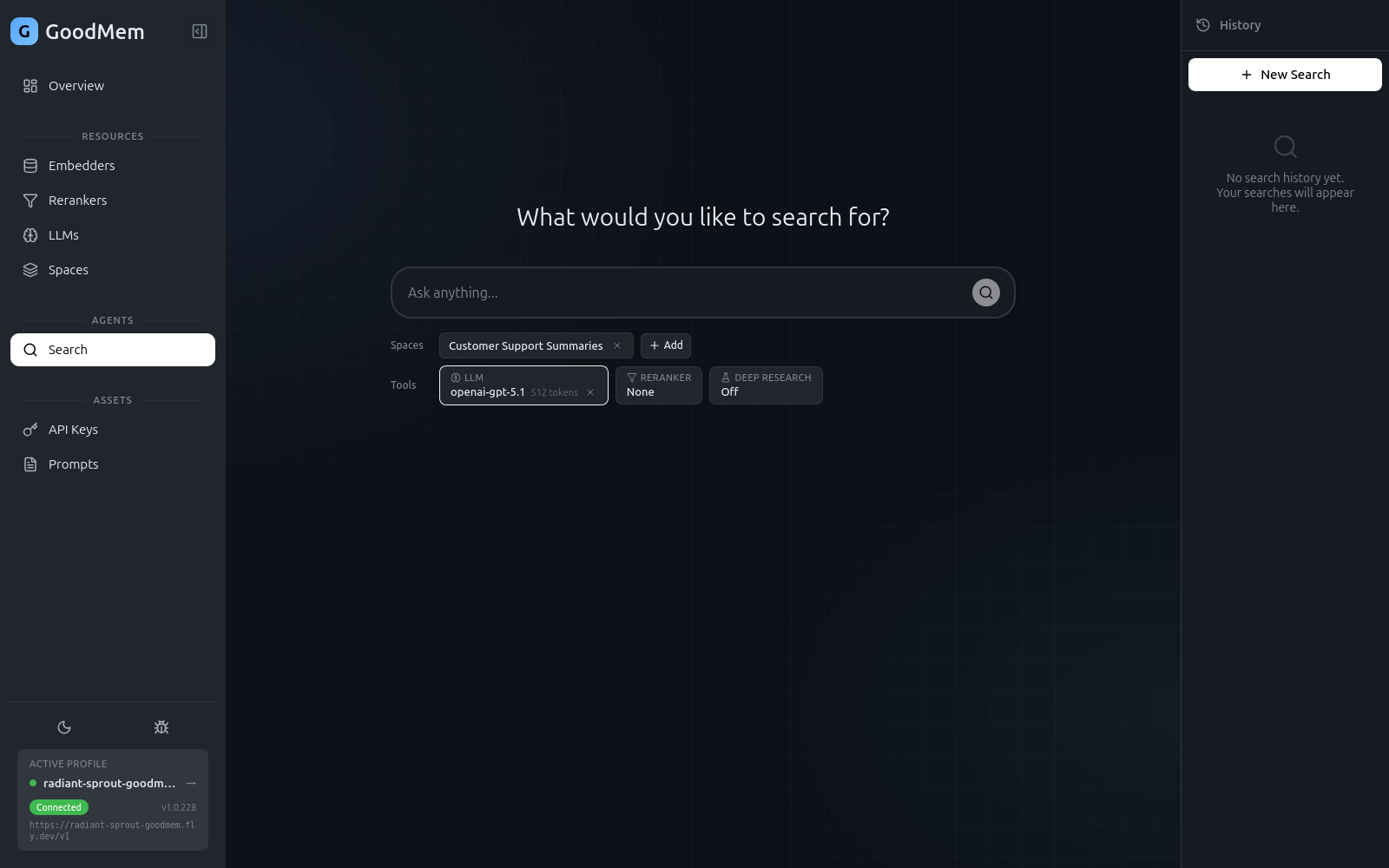
Before running a query, configure the search parameters in the settings panel on the right side of the search page.
Required Settings
| Setting | Description |
|---|---|
| Spaces | Select one or more spaces to search across. Results are merged and ranked together. |
| LLM | Choose which LLM generates the summary response. |
Optional Settings
| Setting | Description |
|---|---|
| Reranker | Select a reranker to re-score results for better relevance. You can set a confidence threshold — results below the threshold are filtered out. |
| Result size | How many document chunks to retrieve (default: 20). |
| Token budget | Maximum tokens for the LLM-generated summary (default: 512). |
| Post-processor max results | Limit the number of results passed to the LLM for summarization. |
Prompt Customization
Click the prompt configuration area to customize the system prompt and user query template. This controls how the LLM interprets the retrieved results and formulates its answer.
The default prompts work well for general question-answering. Customization is useful when you want the LLM to respond in a specific format, focus on particular aspects of the results, or adopt a certain tone.
Standard Search
- Type your question in the search bar.
- Press Enter or click the search button.
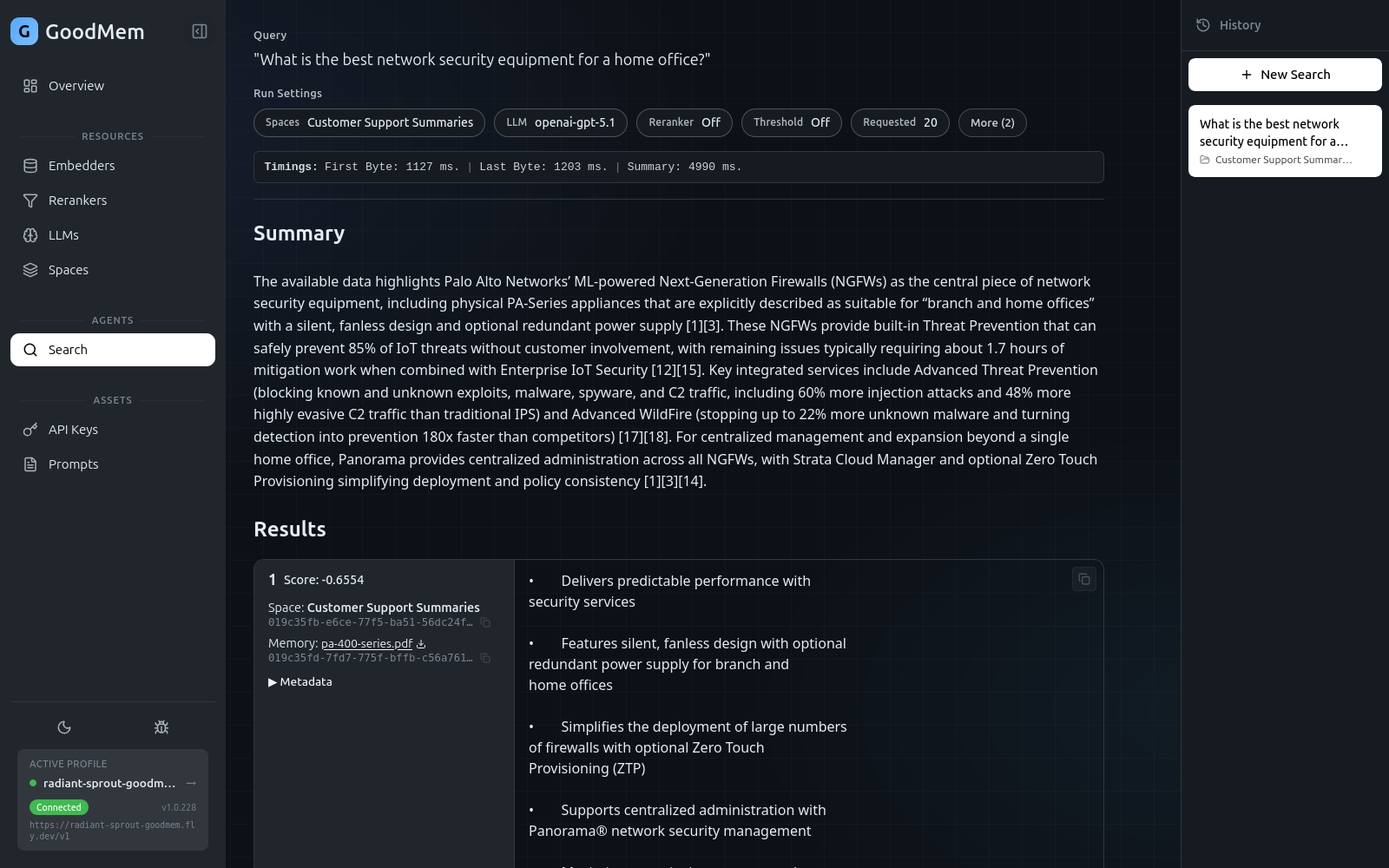
- Results stream in as they arrive:
- Memory hits — ranked document chunks with relevance scores, showing which space and document each came from.
- Summary — an LLM-generated answer that synthesizes the retrieved results.
Reading Results
Each result row shows:
| Column | Description |
|---|---|
| Rank | Position in the result set |
| Score | Relevance score (higher is better) |
| Space | Which space the chunk came from |
| Title | The source document name |
| Preview | A snippet of the matching content |
Click any result to view the full text of that memory chunk.
Performance Metrics
After a search completes, timing metrics appear at the bottom:
- TTFB — time to first byte (how quickly the first result arrived)
- Results complete — when all memory hits finished loading
- Summary ready — when the LLM summary finished generating
These metrics help you tune your configuration. A slow TTFB might indicate an embedder latency issue, while a slow summary time might mean the token budget is too large or the LLM is slow.
Deep Research Mode
Deep research mode runs multiple rounds of search, refining the query between rounds to explore a topic more thoroughly.
- Toggle Deep Research mode at the top of the search page.
- Enter your question and submit.
- GoodMem runs iterative search rounds:
- Each round retrieves results and builds on findings from previous rounds.
- Intermediate results are shown in expandable sections.
- A final consolidated answer is generated after all rounds complete.
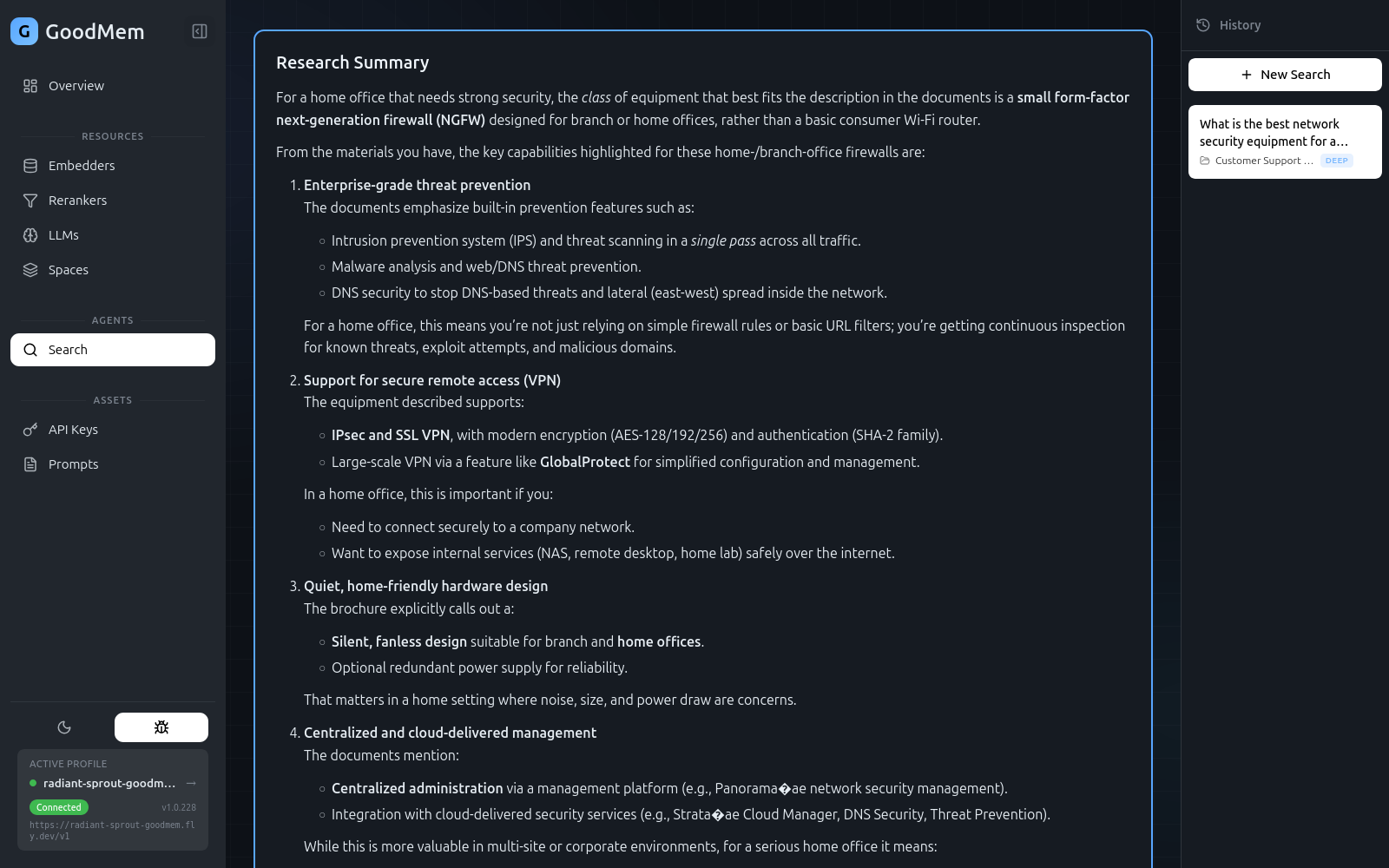
Deep research is best for complex or open-ended questions where a single retrieval pass might miss important context.